My FWC Account: Access, Setup, and Boating Certification
MyFWC is the Florida Fish and Wildlife Conservation Commission’s centralized account portal where you register, sign in, and manage permits, applications, and profile settings. Two immediate actions matter most: create or sign in to your account at the FWC User Management login, then enable Two-Factor Authentication (2FA) to enhance your account security. If you also need a state-approved boating certificate, that step happens through a separate approved course provider, not through MyFWC itself.
Key actions at a glance:
- Sign in or register at the FWC User Management portal
- Enable 2FA using a confirmed phone number or email
- Purchase recreational licenses through Go Outdoors Florida, not MyFWC
- Complete a state-approved boating course to receive your boating safety certificate
- Access permit systems such as FOPS directly through your MyFWC account
Table of Contents
- How do you create a MyFWC account step by step?
- Why you should enable 2FA on your FWC account
- What can you manage through your MyFWC account?
- How does MyFWC differ from Go Outdoors Florida?
- Why does FWC ask for your Social Security Number?
- Common login and registration problems and how to fix them
- How do you get a state-approved boating safety certificate?
- Key Takeaways
- The part most boaters skip — and why it costs them
- State-approved boating courses available now through Safeboatingamerica
- Useful sources and official links
- FAQ
How do you create a MyFWC account step by step?
The FWC registration process follows three sequential steps: personal and security information, contact information and 2FA setup, and profile details. Have the following ready before you start:
- Valid email address (becomes your username)
- Full legal name and current mailing address
- Social Security Number (required for license issuance)
- A phone number you control long-term, for 2FA
Step 1: Personal and security information. Enter your name, email, and create a password. Complete the Identification fields, then click Save in that section before moving forward. Skipping this Save is the most common registration error and will block your account from validating.
Step 2: Contact information and 2FA. Add your phone number under Phone Numbers, then authorize FWC to contact you via text or automated call. This authorization must be confirmed before 2FA can be enabled.
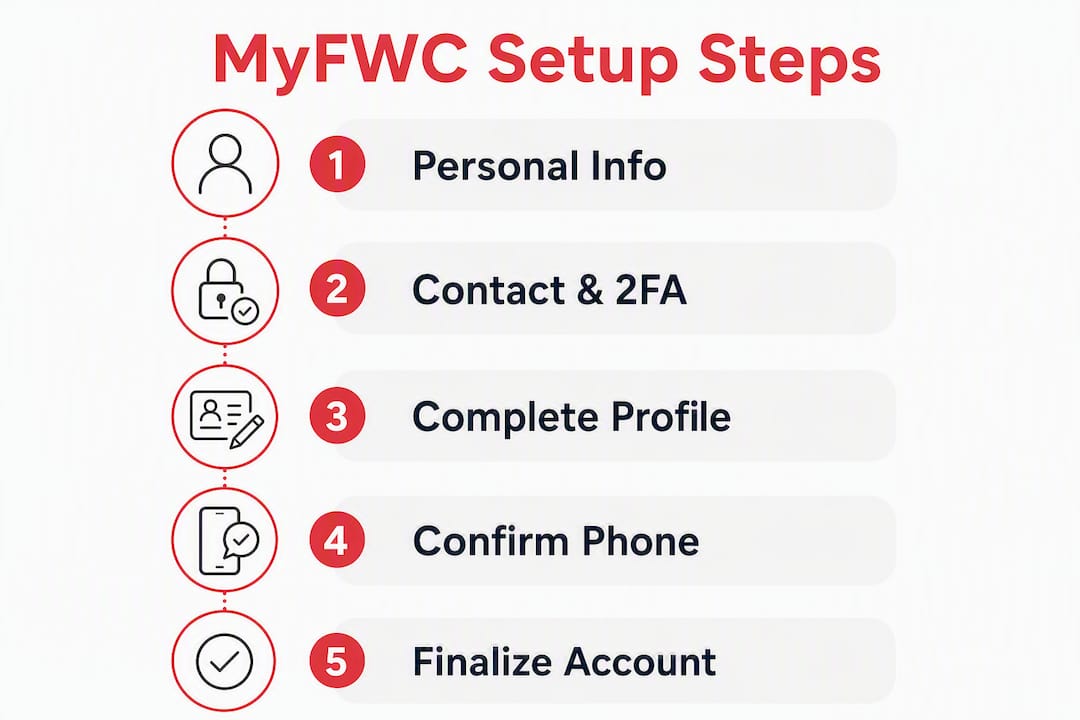
Step 3: Profile details. Complete any remaining profile fields and finalize your account.
Pro Tip: Use a permanent personal phone number, not a work or temporary line, for 2FA. Store your credentials in a password manager such as 1Password or Bitwarden so you are never locked out.
Why you should enable 2FA on your FWC account
FWC positions Two-Factor Authentication not as optional but as a strongly recommended security layer for every account that interacts with agency systems. Without it, recovering a locked account takes significantly longer, and some agency application features may require a confirmed contact method before granting access.
Steps to enable 2FA correctly:
- Go to the Phone Numbers section of your profile
- Add your phone number and authorize it to receive texts or automated calls from FWC
- Click Save on the phone entry
- Return to the 2FA settings and enable it
If 2FA setup fails, the most likely cause is an unconfirmed phone. The system will not allow 2FA activation until the phone is both saved and authorized. Fix the phone authorization first, then retry.
Pro Tip: Add a secondary email and a backup phone number if the portal allows it. This gives you two recovery paths if your primary contact method changes.
What can you manage through your MyFWC account?
Once signed in, your FWC Application Services dashboard connects you to permits, agency applications, and profile management. Common items accessible to boaters and outdoor users:
- Profile and contact settings: update name, address, phone numbers, and email
- Permit systems: access the FWC Online Permit System (FOPS) for agency-specific permits and applications
- Conservation and wildlife permits: nuisance wildlife registrations, professional licenses, and related agency applications
- Directory listings: for example, Nuisance Wildlife Control Operator listings, which expire annually on July 1 and require manual renewal each year
Recreational fishing and hunting license purchases are handled separately through Go Outdoors Florida, not through this portal. Boating safety certificates are issued by approved course providers and may need to be presented to state systems separately.
How does MyFWC differ from Go Outdoors Florida?
These are two distinct platforms with different functions. Knowing which to use saves time.
MyFWC (User Management Portal):
- Account registration and profile maintenance
- Agency application access and permit systems (FOPS and related)
- 2FA and security settings
- Professional and conservation permit management
Go Outdoors Florida (License Storefront):
- Purchase and renew recreational fishing licenses
- Purchase and renew recreational hunting licenses
- Manage recreational license records
If you need to buy a fishing or hunting license, go to Go Outdoors Florida. If you need to manage account settings, access agency applications, or work within permit systems, use MyFWC. The two systems share the same FWC ecosystem but operate independently.
Why does FWC ask for your Social Security Number?
FWC collects Social Security Numbers for the issuance of recreational and professional licenses under two legal authorities: S.379.352 F.S. (Florida Statutes) and federal law 42 U.S.C. § 666, which governs child support enforcement administration. The SSN is used for administrative and compliance purposes only, not for marketing.
Practical notes:
- Provide your SSN only where the portal explicitly requires it for license issuance
- FWC does not use SSN data for commercial purposes
- For specific privacy concerns, contact FWC support directly with your full name and account email
This is a legal requirement tied to state and federal enforcement obligations, not a discretionary data collection practice.
Common login and registration problems and how to fix them
Most access issues fall into three categories: a missed Identification Save, an unconfirmed phone blocking 2FA, or confusion between MyFWC and Go Outdoors Florida.
Fix checklist:
- Missed Save: Return to the Identification section and click Save before navigating away
- 2FA failure: Confirm your phone is saved and authorized for text/call in Phone Numbers, then retry 2FA setup
- Forgot password: Use the “Forgot your password?” link on the User Management login page
- Forgot username: Use the “Forgot your username?” link on the same login page
- Wrong portal: If you cannot find your recreational license, check Go Outdoors Florida, not MyFWC
- Browser issues: Disable pop-up blockers and try a different browser if pages fail to load
When contacting FWC support, have your full name, registered email, phone number, and screenshots of any error messages ready.
Pro Tip: Log the exact time and page URL when an error occurs. This detail speeds resolution when FWC support investigates your account.
How do you get a state-approved boating safety certificate?
A state-approved boating certificate requires completing an approved course — online, in-person, or live Zoom — then passing the final exam. The certificate is issued by the course provider, not by MyFWC. Florida and most other states require NASBLA-approved curricula; instructors at accredited providers are often USCG-licensed captains or state-certified instructors.
Steps to certification:
- Select a state-approved course matched to your state’s acceptance rules
- Complete all required modules and the final exam
- Download or print your digital certificate immediately upon passing
- Follow your state’s instructions for presenting proof of certification when operating a vessel
Florida boaters should review Florida boater education temporary certificate guidance, since a temporary certificate may allow legal operation while your permanent card is processed. For PWC operators, state requirements often mirror those for motorized vessels; check your state’s specific rules before launching.
Pro Tip: Safeboatingamerica offers Florida boating and PWC certification online with same-day digital certificates in many states. Confirm your state accepts the course format before enrolling.
Key Takeaways
Your MyFWC account is the starting point for FWC permits and applications, but a state-approved boating course from a NASBLA-accredited provider is the required path to a boating safety certificate.
| Point | Details |
|---|---|
| MyFWC is the account portal | Use it for profile management, permit systems, and agency applications — not recreational license purchases. |
| 2FA requires phone authorization first | Confirm and authorize your phone in Phone Numbers before enabling Two-Factor Authentication. |
| Go Outdoors Florida handles licenses | Recreational fishing and hunting licenses are purchased at Go Outdoors Florida, separately from MyFWC. |
| SSN collection is legally required | FWC collects SSNs for license issuance and compliance under Florida statutes and federal law. |
| Safeboatingamerica for certification | Safeboatingamerica offers NASBLA-approved, state-accepted boating courses online, in-person, and via live Zoom with same-day certificates. |
The part most boaters skip — and why it costs them
Most boaters focus on getting the certificate and skip the account security step entirely. That is the wrong order of priorities. A compromised or locked FWC account can delay license renewals, permit applications, and registration records at the worst possible time — right before a trip.
Enabling 2FA is a fast process once your phone is confirmed. The recovery benefit alone justifies it: a confirmed contact method means FWC can verify your identity and restore access quickly, rather than routing you through a manual review process.
The same logic applies to course selection. A NASBLA-approved course taught by a USCG-licensed captain is not just a compliance checkbox. The curriculum covers navigation rules, emergency procedures, and PWC-specific safety that directly reduces on-water risk. Safeboatingamerica’s instructors — including USCG-credentialed captains — teach exactly this material in formats that fit a boater’s schedule: online, in-person, or live Zoom. If you need to be on the water legally and safely this season, that combination of account security and accredited certification is the practical path.
State-approved boating courses available now through Safeboatingamerica
Safeboatingamerica delivers state-approved boating and PWC certification courses with digital certificates available promptly, eliminating the need to wait for a mailed card before you can legally operate. Courses use NASBLA-approved materials and are taught by USCG-licensed captains and state-certified instructors.
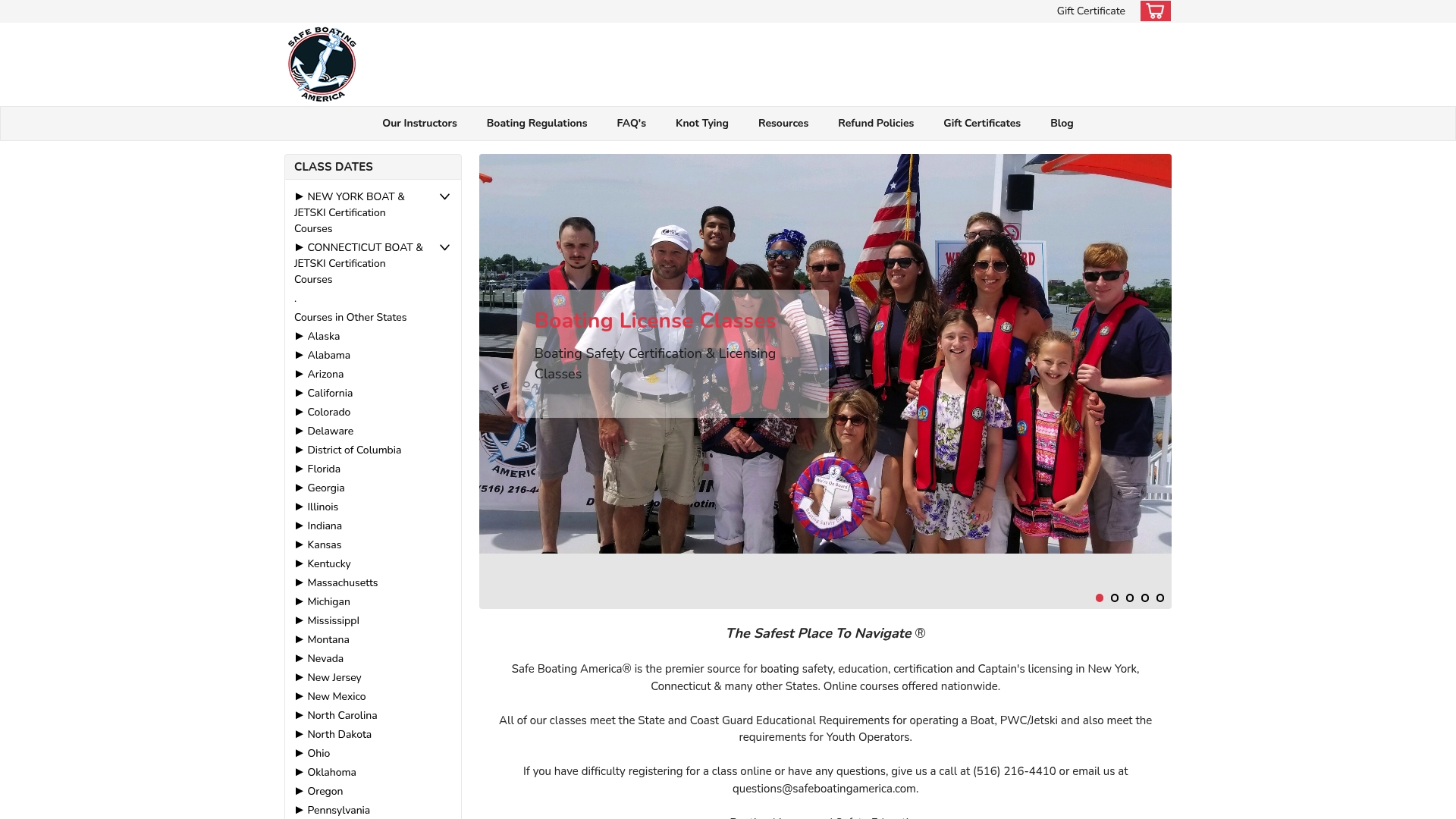
Multiple course formats are available, including self-paced online, live Zoom, and in-person classes. Florida boaters can enroll directly in the Florida boating and PWC certification course. For other states, the full catalog of online boating courses covers all 50 states. Visit Safeboatingamerica to select your state, register, complete training, and download your certificate — all in one session when the same-day option applies.
Useful sources and official links
- MyFWC User Management Login: Sign in, register a new account, or reset login credentials
- FWC Application Services: Access all FWC agency applications from one dashboard
- FWC Online Permit System (FOPS): Entry point for permit applications linked to your MyFWC account
- Go Outdoors Florida: Purchase and renew recreational fishing and hunting licenses
- Safeboatingamerica — Course Enrollment: State-approved boating and PWC certification courses nationwide
FAQ
What is MyFWC used for?
MyFWC is the Florida Fish and Wildlife Conservation Commission’s account management portal for registering users, managing permits and agency applications, and maintaining profile and contact settings. Recreational license purchases are handled separately through Go Outdoors Florida.
How do I reset my MyFWC password?
Use the “Forgot your password?” link on the User Management login page and follow the email instructions to reset your credentials.
Why is my 2FA setup failing on MyFWC?
2FA setup fails when the phone number has not been confirmed and authorized in the Phone Numbers section. Add and authorize your phone for text or automated call first, save it, then return to enable 2FA.
Does MyFWC issue boating safety certificates?
No. Boating safety certificates are issued by state-approved course providers such as Safeboatingamerica after you complete a NASBLA-approved course and pass the exam. MyFWC manages your account and permits, not course completion records.
Is my SSN required to create a MyFWC account?
Your SSN is required specifically for license issuance under Florida statutes and federal law. It is collected for administrative and compliance purposes and is not used for marketing.